Quick summary: If ads still show, check that blocking is on for the site, update the filter lists, disable other extensions to test for conflicts and confirm your browser supports your blocker. If a site breaks, pause blocking for that site first, then narrow down the cause. Some content, such as sponsored articles and ads inside video, cannot always be blocked.
Ad blockers are rule-based, so when something goes wrong the cause is usually practical: a setting, a list that is out of date, a conflict or a limit in the browser. The fastest way to fix a problem is to work through the likely causes in order, changing one thing at a time. This guide covers both sides: ads that still appear and sites that stop working.
First, a two-minute diagnosis
Before changing anything, answer three questions.
- Is it happening on every site or just one? A single site points to that site's setup or an allow setting. Every site points to the blocker, lists or browser.
- Is it a normal ad, or something unusual? Banner-style ads are what blockers handle best. Video ads, sponsored articles and ads that look like page content are harder.
- Did anything change recently? A new extension, a browser update or a changed list can all trigger a problem.
Ads still showing: the usual causes
Work through these in order.
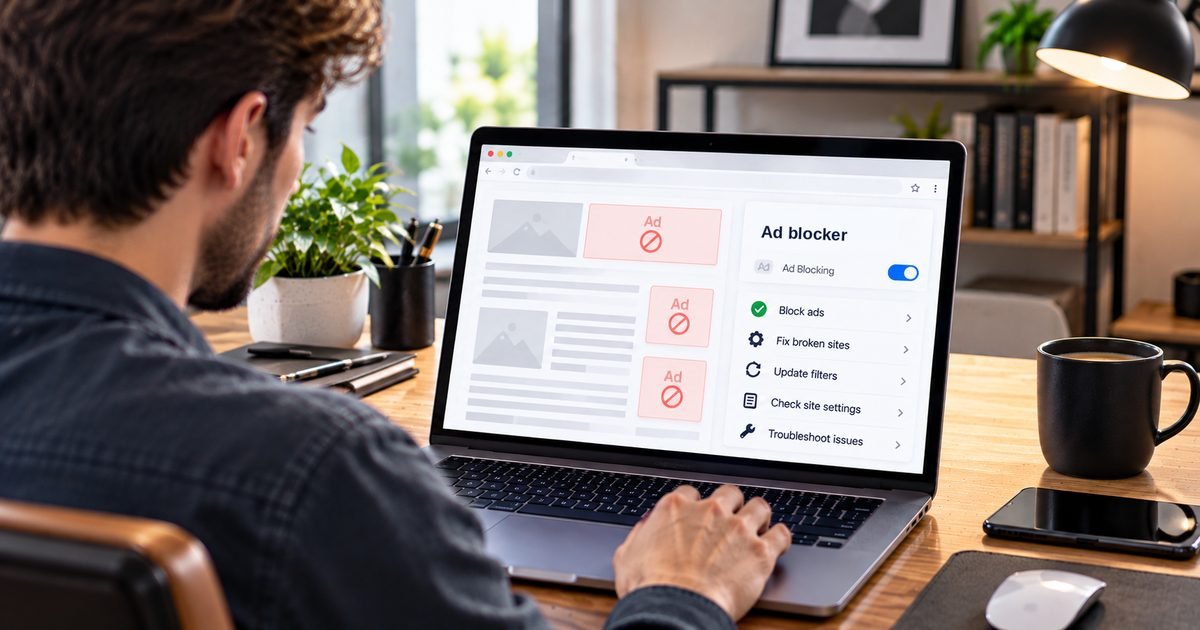
1. Blocking is paused or the site is allowed. Click the blocker's icon on the page. If it shows as paused or the site is on an allow list, switch it back on. This is the most common cause and the easiest to overlook.
2. Filter lists are out of date. New ad addresses appear constantly. Open the blocker's settings, find the filter lists and run an update. Confirm the lists you expect, such as a main ad list and a tracker list, are actually enabled.
3. Another extension is interfering. Several blockers or privacy tools running together can conflict. Disable other extensions one at a time, or temporarily all except the blocker, and reload the page.
4. The page is cached. Do a hard refresh, or open the page in a new tab, so you are testing fresh content.
5. The ads cannot be separated by rules. Ads served from the same address as the page, sponsored articles styled as editorial, and ads stitched into a video stream do not have a separate request to cancel. Results vary and change as sites and blockers adapt.
6. Your browser limits the blocker. Chrome and other Chromium browsers moved extensions to Manifest V3, which changes what blocking extensions can do. Some blocker developers have said their Manifest V3 versions are less effective against sites that use anti-blocking techniques, and Firefox still supports the fuller extension model. If your blocker has a reduced version in your browser, some ads may get through that did not before.
7. You are not in a browser that runs your blocker. The built-in browser inside a social or messaging app usually does not run extensions. Private or incognito windows may also need extensions to be allowed explicitly in the browser's settings.
8. A VPN, DNS or network setting is changing what loads. Some network tools alter how requests are resolved. Disable them briefly to see if behavior changes, then reconfigure rather than leave them off.
Browser-specific notes
- Chrome and Edge: check that the extension is enabled and shows no warning about being unsupported or reduced. Look in the extension's settings for notes on Manifest V3 limitations.
- Firefox: confirm the extension is allowed in private windows if you use them, and that built-in tracking protection is not set in a way that conflicts with your lists.
- Safari: content blockers must be enabled in Safari's settings after installation. A blocker that is installed but not switched on does nothing.
- Mobile: extension support depends on the browser and operating system. A blocker that works in one browser will not affect another browser or an app.
For setup details by browser, see the usage guide.
When a website breaks or looks wrong
Sometimes the problem is the opposite: too much is blocked. Typical symptoms include a login button that does nothing, a checkout that will not load, a video that never plays or a page missing images or comments.
- Pause blocking for that site. Use the blocker's icon to pause or allow the site, then reload. If the page now works, the blocker was the cause.
- Re-enable and narrow it down. Turn blocking back on and disable the most recently added filter list or custom rule, then test again. Add things back one at a time.
- Check for a custom rule. If you used an element picker to hide something, that rule might be hiding a part of the page you need. Remove it.
- Try the site's own explanation. Some sites show a notice telling you what they need. Read it before assuming the blocker is broken.
- Report persistent issues. Many blocker projects and list maintainers accept reports of broken sites so they can adjust rules. Include the address and what stopped working.
If a site works only with blocking off and you trust it, allow that site and keep blocking on elsewhere.
Sites that ask you to turn the blocker off
Many publishers depend on advertising and detect blockers. Your options are to allow that site, pay for ad-free access if one is offered, or choose not to use the site. Be cautious about browser add-ons or scripts that promise to hide your blocker from sites. They may come from unreliable sources and can create problems of their own, so it is safer to choose one of the first three options.
When ads may point to something worse
Occasionally, ads that seem to defy any blocker are a symptom of unwanted software rather than a blocker problem. Warning signs include ads on pages that normally have none, repeated redirects to unfamiliar sites, new toolbars or search settings you did not choose and pop-ups that appear unprompted.
If you see these signs:
- Review the list of installed extensions and remove any you do not recognize.
- Run a scan with a reputable security tool.
- Reset your browser's search and home page settings if they changed.
- Change passwords on important accounts from a clean device if you suspect compromise, following the steps in our guide to securing your online accounts.
Fraudulent ads can also impersonate real businesses in search results. The FBI's Internet Crime Complaint Center has warned about this and has noted that blockers are one way to reduce exposure, alongside checking the address before you click. Our guide to recognizing and avoiding online scams explains the signs to look for.
When to reconsider your setup
If you have worked through these steps and the blocker still falls short in your browser, it may simply not be the right fit. The comparison guide can help you evaluate alternatives, and the how it works guide explains why some limits are built into the approach. For vendor-specific account or billing questions, contact the vendor directly. The ad blocking overview is a good place to start over.
Frequently asked questions
Why are ads still showing with my ad blocker?
Common causes are that blocking is paused or the site is allowed, filter lists are outdated, another extension conflicts, the ads are served in a way rules cannot separate, or you are viewing the page in an app or browser that does not run your blocker.
Why did a website break after I installed a blocker?
Some sites rely on scripts that a strict rule set blocks by mistake, which can break logins, checkouts, video or comments. Pausing blocking for that site usually confirms the cause, and you can then adjust lists or report the problem.
What does it mean when a site says to disable my ad blocker?
The site has detected a blocker and wants you to allow ads, subscribe or disable it. You can allow that site, pay for access if offered, or choose not to use the site.
How do I know if the ads I see are from malware?
Warning signs include ads on pages that normally have none, repeated redirects, pop-ups that appear even when the browser is closed, and new toolbars or settings you did not choose. If you see these, run a trusted security scan and review your installed extensions.